A free simulator for real microcontroller circuits
Updated
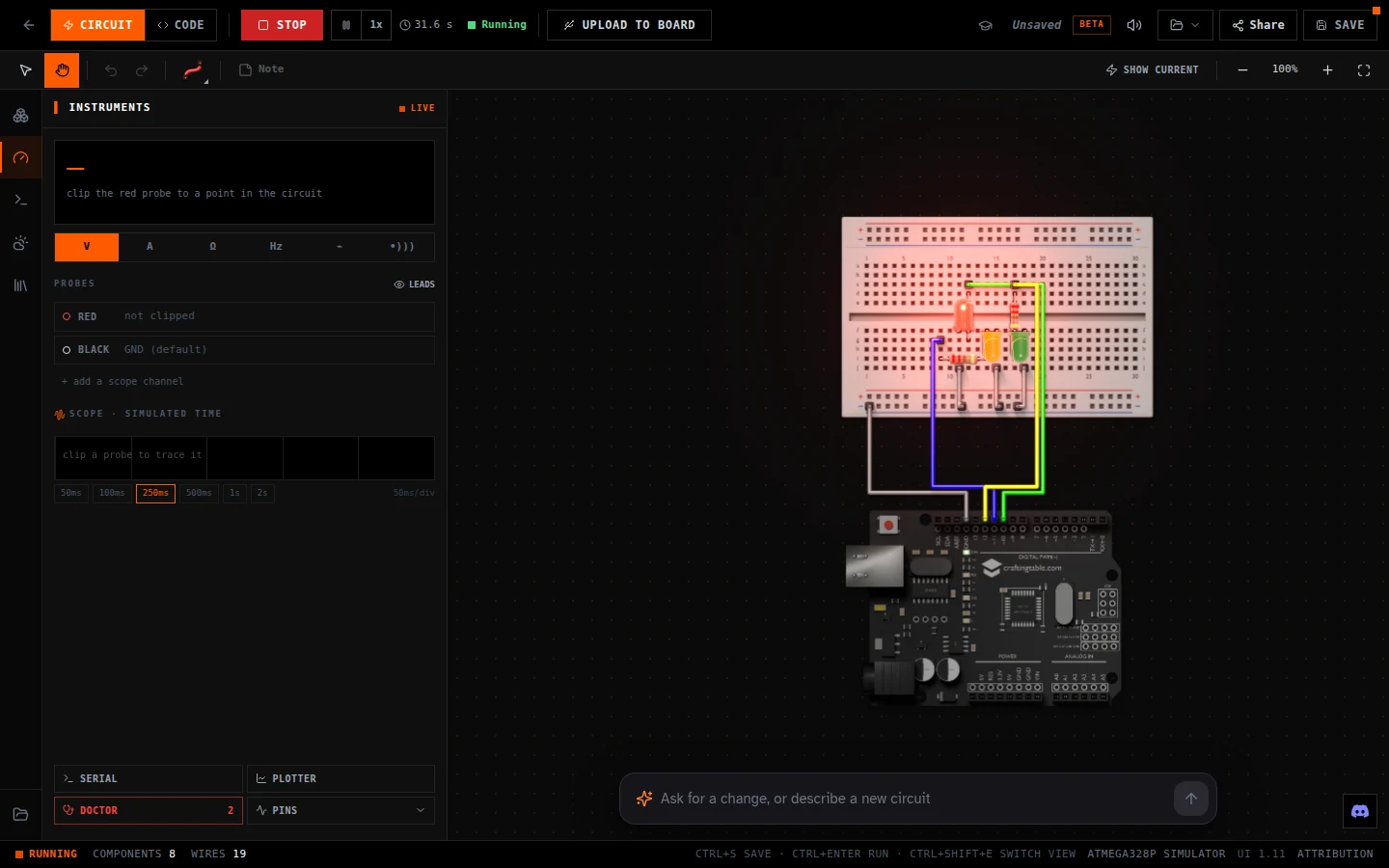
Drop a board onto a breadboard, wire up LEDs, buttons, a keypad or a screen, write the code, and press Run. The circuit behaves the way the real one would, because the simulator isn't pretending: it runs your program on an emulated copy of the actual chip.
It's free, it runs in a browser tab, and you don't need an account to start. People run it more than 30,000 times a month, mostly to try a circuit before they build it, and sometimes because they don't have the parts yet.
Open the simulator · Free, in your browser. On a computer or a tablet.
Pick your board
- HERO Board (Uno-compatible): The ATmega328P and Uno pinout, in C++. Every part and library, the Serial Monitor, and upload to the real board.
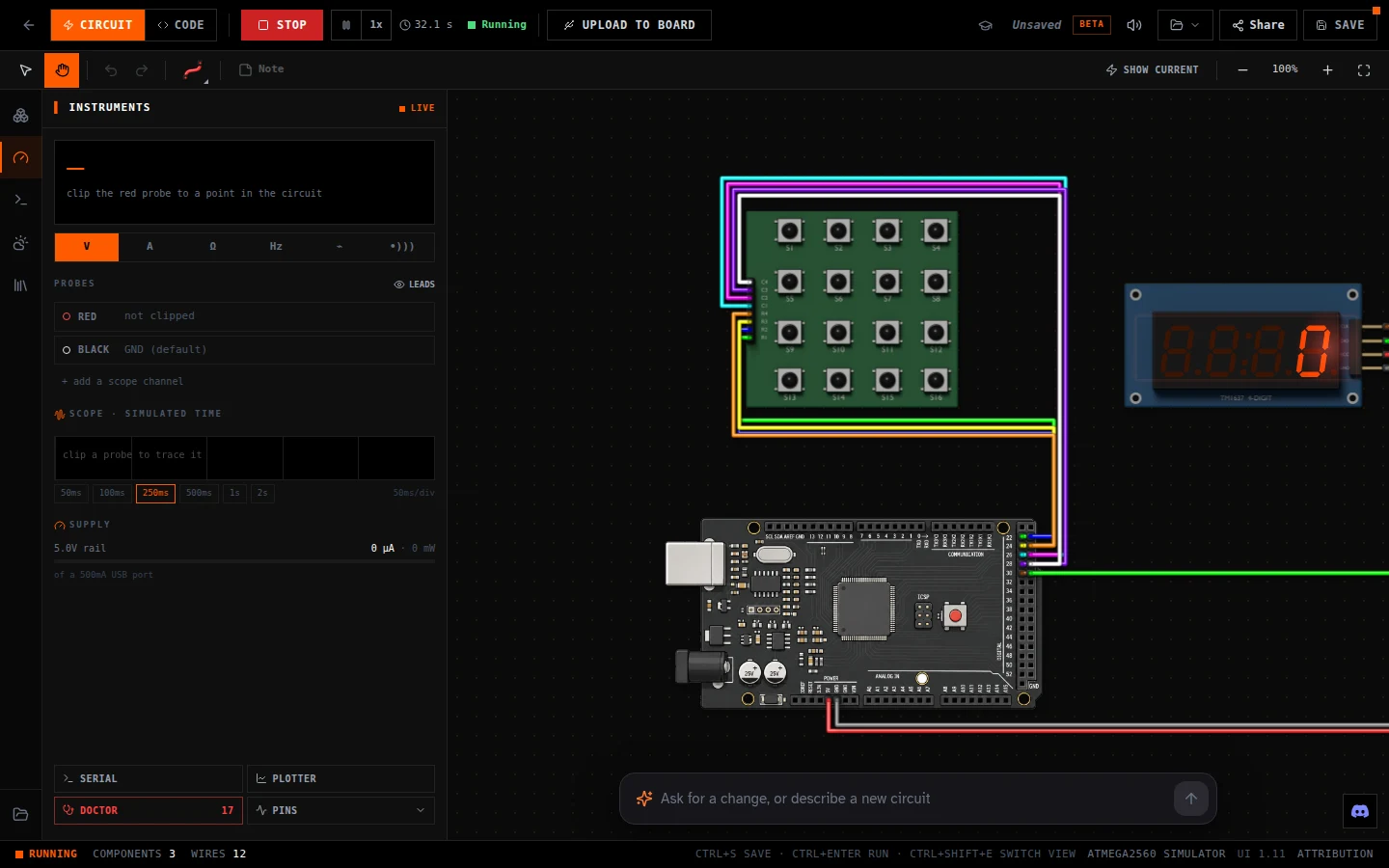
- HERO XL (Mega-compatible): The ATmega2560: 54 digital pins and 16 analog inputs, for builds that outgrow a Uno.
- Raspberry Pi Pico WH: The real MicroPython firmware on an emulated RP2040. Write Python, see the pins move.
An ESP32 board is next. It's in testing now and gets its own page when it's ready.
What makes it real
- The real chip, emulated. C++ for the HERO boards is compiled by the same toolchain as the desktop Arduino IDE and runs on an emulated ATmega328P or ATmega2560 at 16 MHz. Python on the Pico runs on the actual MicroPython firmware, on an emulated RP2040. Code that works here works on the board.
- Electricity, not animation. LED brightness comes from the current through the circuit, worked out from your resistors. Leave the resistor out and the LED burns out, the way a real one does past about 25 mA.
- Instruments. Clip a meter's probes anywhere to read volts, amps, ohms or a logic level. A scope traces a pin over time, a supply meter shows what the circuit draws from USB, and a circuit doctor points at the wiring mistakes it can see.
- 46 real parts. LEDs and RGB LEDs, resistors, buttons, a 16-button keypad, a rotary encoder, a buzzer you can hear, an OLED screen, a 4-digit display, a servo, a joystick, a motion sensor and about two dozen sensor modules. Every part is one you can buy and hold.
- Serial Monitor and plotter. Print from your sketch, type back to it, and graph a reading as it changes.
- From screen to board. Plug a real HERO Board, HERO XL or Pico into your computer and the Upload to Board button sends your program to it, from the same page, in Chrome or Edge.
Start with something that already works
- A traffic light, running: three LEDs on a HERO Board. Press Code to see the sketch.
- Day 2 of 30 Days Lost in Space: the first circuit of the course, an LED and a resistor.
- A number pad on the HERO XL: type digits on the keypad and they appear on the display.
- Simon on the Pico: the memory game from the Neon Realm kit, in MicroPython.
Every project page in our guides runs here too, from the keypad door lock to the countdown timer, and there's a new circuit challenge every day in Daily Quest.
How it compares
There are good simulators out there, and the right one depends on what you're building. Wokwi covers the most boards, ESP32 and STM32 included, and is free for public projects. Tinkercad Circuits is a classroom favourite for simple Uno circuits. If you need an ESP32 today, use Wokwi; ours is still in testing.
This one is built around the boards in our kits and the courses that teach them. The board on screen is the one in the box, the lessons and daily challenges are written for it, and the same page that runs your circuit uploads it to the real thing. If you're learning with a CraftingTable kit, or want a simulator that teaches as you go, that's the difference.
What to know before you start
- It needs a computer or a tablet. Phones get a page asking for a wider screen: there isn't room for a breadboard and a code editor at once.
- Without an account, your work saves in your browser. A free account saves it to your projects so you can open it anywhere and share it.
- Uploading to a real board uses Web Serial, which works in Chrome and Edge on Windows, Mac and Chromebooks.
30 Days Lost in Space: The HERO Board and the parts the simulator shows, with filmed lessons from your first LED to a launch sequence.
Questions
Is the simulator really free?
Yes. Building, coding, running and uploading are free, with no account needed to start. A free account adds saving to your projects and sharing.
Does code from the simulator work on a real board?
Yes. The simulator runs your program on an emulated copy of the real chip, so the same code runs on a HERO Board, HERO XL or Pico. The Upload to Board button sends it from the same page.
Can I use it on a Chromebook?
Yes. It runs in Chrome, and uploading to a HERO Board works from a Chromebook too.
Does it simulate the ESP32?
Not yet. ESP32 support is in testing and will get its own page when it's ready.