KY-020 ball tilt switch module: how it works, wiring and code
Updated
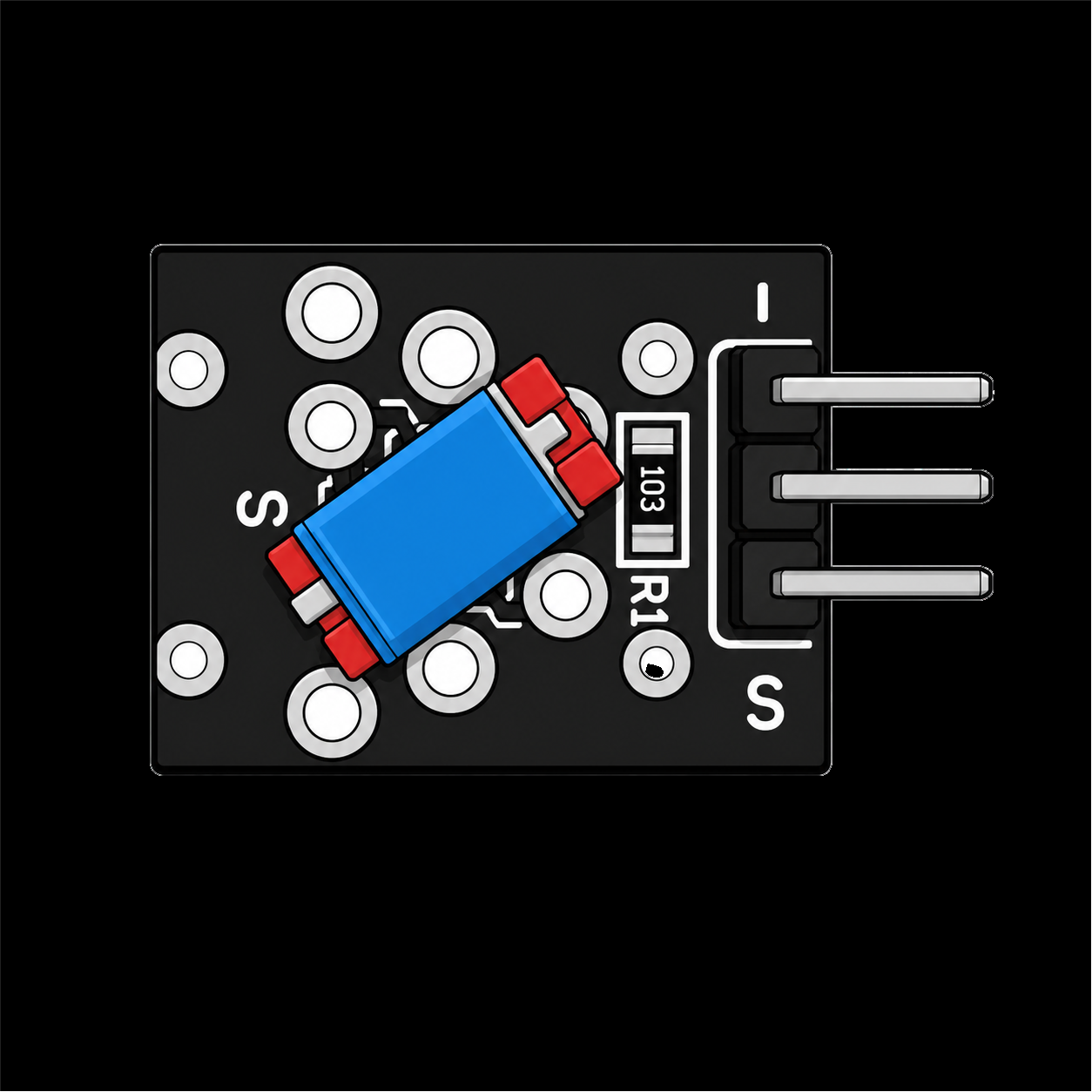
The KY-020 tells your board whether it's upright or tipped. Inside the small sealed switch on its face is a metal ball. Stand the module up and the ball rests across two contacts; tip it and the ball rolls away, opening the switch.
There's no glass and nothing toxic inside, which makes it the tilt switch to build into things that get carried, dropped and shaken. The price is a little noise, because a ball rattles. Here's how to read it, and how to calm it down.
How a ball switch works
Think of it as a button gravity presses. The ball sits in a small chamber with two contacts at one end. When that end is down, the ball touches both and closes the circuit. Tilt the module and the ball rolls off, and the circuit opens. A resistor on the board holds the signal pin at a steady level while the switch is open.
In the simulator's model of this module, the switch is closed while the module stands upright, so the signal reads LOW, and tipping it lets the pin go HIGH. The instructor in the walkthrough sums it up: it's basically on or off, it's not analog. The course proves that with a neat test, below.
Wiring
| Module pin | HERO Board pin | What it carries |
|---|---|---|
| S | 3 (A0 for the analog test) | The signal |
| + (middle) | 5V | Power |
| − | GND | Ground |
On this board − and S are the two end pins, with + between them, as printed beside the header.
First, prove it's a switch
The course starts with a test worth doing on any sensor you're unsure about. Wire S to A0 instead of pin 3 and read it with analogRead(), which reports any voltage as a number from 0 to 1023:
const uint8_t tilt_pin = A0;

void setup() {
  Serial.begin(115200);
  pinMode(tilt_pin, INPUT);
}

void loop() {
  int val = analogRead(tilt_pin);
  Serial.println(val);
  delay(100);
}Open the Serial Monitor at 115200 baud and tip the module. The number doesn't glide the way a light sensor's would; it jumps from one end of the scale to the other. That's the signature of a switch, and it tells you digitalRead() is the right tool. (The analog input article explains the 0 to 1023 scale.)
The course sketch
Move S back to pin 3. The main sketch copies the switch onto the board's L LED:
int ledPin = 13;   // the board's L LED
int ballPin = 3;   // the module's S pin
int val;

void setup() {
  pinMode(ledPin, OUTPUT);
  pinMode(ballPin, INPUT);
}

void loop() {
  val = digitalRead(ballPin);
  if (val == HIGH) {
    digitalWrite(ledPin, HIGH);
  } else {
    digitalWrite(ledPin, LOW);
  }
}In the walkthrough, rocking the module forward and back turns the LED off, on and off again.
Calming the rattle
Tip the module slowly and you'll see the catch. Right at the tipping point the ball wobbles on the contacts, and the reading flickers between HIGH and LOW for a moment. Shake it and it chatters. For an LED that doesn't matter. For a counter or an alarm it does, because every flicker looks like a new event.
The cure is the one used for buttons: only accept a new reading once it has held steady for a while. The debouncing article explains the idea with millis(). For a ball switch, a hold time of a few hundred milliseconds turns a rattle into one clean 'tipped'. The KY-017 page has a complete hold-time sketch on pin 3, and the KY-020 drops straight into it.
Ball switch or mercury tilt switch?
| KY-020 ball switch | KY-017 mercury tilt switch | |
|---|---|---|
| Inside | A metal ball | A bead of mercury in a glass bulb |
| Tilt needed | A firmer tip, or a shake | A gentler tilt |
| Contact | Can rattle and chatter | Settles cleanly |
| Toughness | No glass; takes knocks | Glass bulb; handle gently |
| Output | Digital | Digital |
As the two walkthroughs show them on the course's bench.
And if what you want is 'did it move' rather than 'which way up is it', the spring sensors fit better: the KY-002 shock sensor and the KY-031 tap sensor.
What to build with it
- A pick-me-up light. It lights when you lift and tip it, and goes dark when you set it down.
- A this-way-up warning. Fix it inside a box that must stay upright and sound a buzzer if it's turned over.
- A shake counter. Count how many times it's shaken in ten seconds. Count changes, not readings, and use a short hold time so each shake counts once.
Common problems
- The LED flickers at the tipping point. That's the ball rocking on the contacts. Use a hold time, as above.
- It needs a big tilt to change. Normal for a ball switch: the ball has to roll. If you need a gentler trigger, the KY-017 reacts sooner.
- Nothing changes at all. Check S is in the pin the sketch names: 3 for the course sketch, A0 for the analog test.
Watch it on the bench
The KY-020 walkthrough in the free SensorKit course wires the module to a HERO Board and rocks it on camera, in about two minutes. The rest of the case is in the 37-in-1 sensor kit guide.
37-in-1 Sensor Kit: The KY-020, the KY-017 and 35 more modules in a latching case, with the free SensorKit course.
30 Days Lost in Space: New to wiring? The HERO Board, a breadboard and jumper wires, with filmed lessons that teach you to wire and code from zero.
Questions
Is the KY-020 analog or digital?
Digital. The course's analog test shows it: on analogRead() the reading jumps between the two ends of the scale instead of changing smoothly, so read it with digitalRead().
Does the KY-020 contain mercury?
No. It uses a metal ball. The mercury tilt switch in the kit is the KY-017.
Why does my ball switch flicker?
The ball bounces on the contacts as it settles. Only accept a new reading after it has held for a few hundred milliseconds, the same fix used for button bounce.