Electronics gifts for teens, 2026: an honest list
Updated
Many gift lists for teens are written by a company that sells everything on them. This one is written by a company too: we make electronics kits. So our kits are on it where they're the right gift, and other brands are on it where theirs is. Other brands' prices were checked on November 10, 2026; ours show live on the product cards.
The right gift depends less on age than on what the teen wants to end up with: a gadget they assembled, a circuit they designed and coded, or a computer of their own to take apart. Start there and the list gets short.
The short list
| Gift | Best for | Price, checked 10 Nov 2026 | Also needs |
|---|---|---|---|
| 30 Days Lost in Space (CraftingTable) | A first kit that teaches real circuits and C++ | On the card below | A Windows, Mac or Chromebook computer with Chrome or Edge |
| Wheelson 2.0 (CircuitMess) | A gadget to build and keep: a camera robot car | $169 at circuitmess.com | A computer, to code it after the build |
| Raspberry Pi 500 Desktop Kit | A computer of their own to tinker with | $200 at raspberrypi.com | A monitor or TV |
| micro:bit V2 Go | A small first gift, or coding from a phone or tablet | $24.95 at SparkFun | A computer, phone or tablet |
| Snap Circuits Classic SC-300 | Younger teens, or anyone not ready to type code | $69.95 at Rainbow Resource | Four AA batteries |
| Python Starter Kit: Neon Realm (CraftingTable) | Learning Python on real hardware | On the card below | A Windows, Mac or Linux computer and a micro-USB data cable |
| Pandora's Box (CraftingTable) | A teen who has already finished a kit | On its product page | A Windows or Mac computer |
Prices change. Check the seller's page before you buy.
Never built a circuit: 30 Days Lost in Space
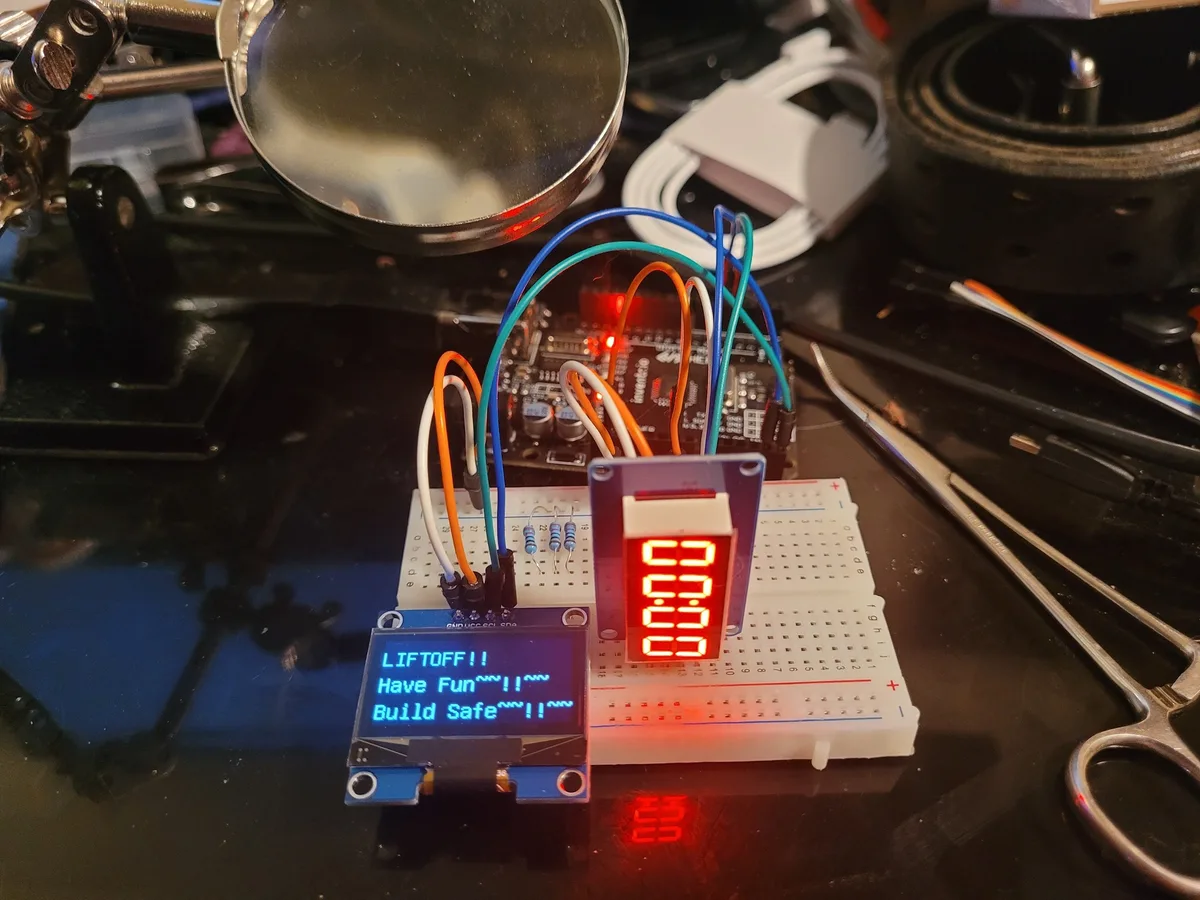
This is ours, and it's the gift we'd pick for a teen who has never wired anything and wants to learn how it really works. The story: you crash-land on an alien planet, and each filmed mission is one repair. You wire a circuit on the breadboard, write the C++ that runs it, and a system on the ship comes back to life.
There are 31 filmed lessons, about 10 hours of video, and every part for all 30 missions: the HERO Board (Uno-compatible), a breadboard, an OLED screen, a 4-digit display, a 16-button keypad, a rotary encoder and a buzzer. Nothing is soldered. By the end they've built a passcode lock, a depth dial, graphics on a screen and a launch countdown, and the code behind each one is theirs to change. It's for ages 12 and up, as printed on the box.
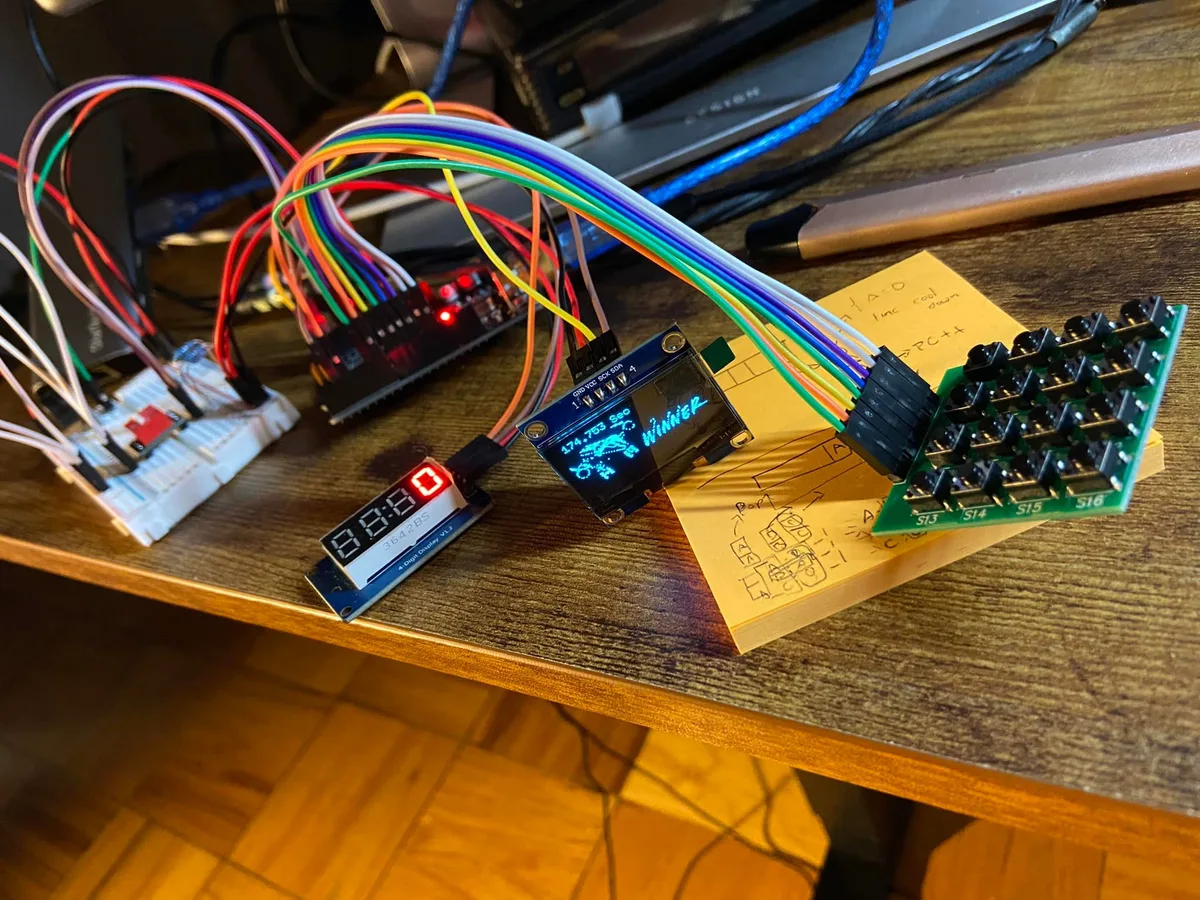
Where it isn't the best gift: every build is a breadboard circuit that comes apart for the next mission, so there's no finished gadget to keep on the shelf. If that's what they want, CircuitMess is the better pick. For a younger or more hesitant 12-year-old, Cogsworth City is the gentler start on the same board: twenty short films, and the first night needs no wiring at all.
Wants a gadget to keep: CircuitMess
CircuitMess makes kits that end as a real device in its own case: a robot car, a pair of messengers, a smartwatch, a synth. That's exactly what our kits don't give you, and for a teen who wants to show off a thing they built, it's the stronger gift.
Wheelson 2.0 is a good example: a self-driving robot car with a camera that follows lines and recognises objects. It was $169 at circuitmess.com on November 10, 2026. CircuitMess rates it for ages 9 and up, says it takes about two hours to assemble, and puts a screwdriver and the battery in the box. Once it's built you can code it in CircuitBlocks, their drag-and-drop editor, or in Python or C++.
Two things to check on any CircuitMess kit. Some of their kits involve soldering and some don't, and their help center says the tools are not automatically included (the Tools Pack was $39). And the build is the main event: the guides are written, with photos, and what you code afterwards is up to you.
Wants a computer of their own: Raspberry Pi 500
The Raspberry Pi 500 is a whole computer built into a keyboard. Plug it into a monitor or TV and it's a Linux desktop they can install things on, break and fix. It has 8 GB of memory, comes with a 32 GB card, and has a 40-pin header on the back for wiring up LEDs and sensors. On November 10, 2026 it was $180 on its own, or $200 as the Desktop Kit, which adds a mouse, a power supply, an HDMI cable and Raspberry Pi's Beginner's Guide. There's no screen in either box.
It's a different gift from a microcontroller kit. A Raspberry Pi runs an operating system and many programs; a microcontroller runs one program you wrote, from the moment it gets power. What is a microcontroller? explains the difference.
Under $30: a micro:bit
The BBC micro:bit is a small board with LEDs, buttons and sensors already on it, coded in blocks or Python. SparkFun's micro:bit V2 Go bundle was $24.95 on November 10, 2026, with a USB cable, a battery holder and two AAA batteries. It's the one pick here that can be coded from a phone or tablet: micro:bit's MakeCode editor has iOS and Android apps.
The trade-off is that almost everything is already on the board, so there's little wiring. It teaches code first and electronics second, which makes it a good taster and a short-lived main gift for a teen who wants to build.
Younger teens, or no code yet: Snap Circuits
Snap Circuits is the right gift more often than a company like ours would like. The parts are mounted on plastic blocks that snap onto a grid, there's nothing to type, and it's rated 8 and up. The Classic SC-300, with over 300 projects and over 60 parts, was $69.95 at Rainbow Resource on November 10, 2026. It runs on four AA batteries, which aren't included.
A 13-year-old who has never touched electronics can start here happily. A 15-year-old who already codes will likely outgrow it fast. Snap Circuits or a microcontroller kit covers when to make the jump, and what changes.
Wants to learn Python: Neon Realm
Neon Realm is our Python kit: a Raspberry Pi Pico WH, 20 lessons set in Neon City, and MicroPython from the very first line. Two things to know before you wrap it. The micro-USB cable isn't in the box, and it has to be one that carries data: a charge-only cable looks the same and the computer won't see the board. And its editor, Thonny, runs on Windows, Mac or Linux; on a Chromebook it only runs inside ChromeOS's Linux environment, which school-managed Chromebooks often switch off.
Not sure whether Python or C++ is the better start? Arduino Uno or Raspberry Pi Pico compares the two boards and both languages side by side.
Already finished a kit
Pandora's Box is our advanced kit: two programmable boards (the HERO XL and a T-Display ESP32 with Wi-Fi and its own color screen), a 2.4-inch touchscreen, an RFID reader, motors and more than 30 kinds of parts, with 70 video lessons. It's rated 12 and up but moves faster than a starter kit, so it's for the teen who has already done one.
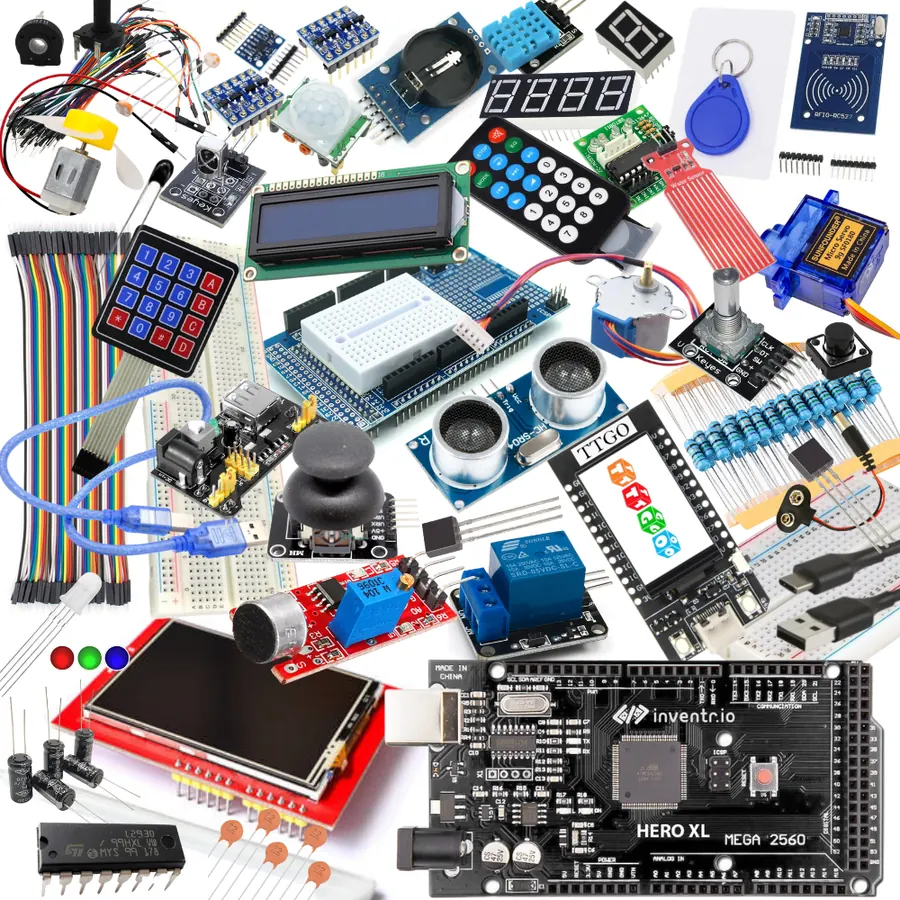
The Electronics Master Crate is the biggest gift we make: the parts for all five of our story adventures plus a 37-in-1 sensor kit, four kinds of board, C++ and MicroPython, and 206 lessons. Check the ship date on its page before you count on it for a holiday: when a batch sells out, the next one ships about 30 days after you order.
Comparing budget starter kits instead (Elegoo, the official Arduino Starter Kit, SparkFun, SunFounder)? Our kit comparison puts them side by side, including where they beat ours.
Four checks before you buy
- Their computer. Phones and tablets can't program our boards; the micro:bit is the exception on this list. 30 Days Lost in Space and Cogsworth City run from Chrome or Edge on Windows, Mac or a Chromebook. Our Python kits need Windows, Mac or Linux, and Pandora's Box needs Windows or Mac. School-managed Chromebooks often block the Python editor, so ask first.
- Batteries and cables. Snap Circuits needs AA batteries. Neon Realm needs a micro-USB data cable. Our HERO Board kits run from the USB cable in the box.
- Soldering. Our kits and Snap Circuits have none. Some CircuitMess kits do, and the tools are a separate purchase.
- Help when it doesn't work. Every electronics kit has a moment where nothing lights up. Filmed lessons, a simulator and the Help Center carry a teen through it; a written guide leaves more of it to them, or to you.
Let them try it before it's wrapped
If you're not sure the gift will land, the free browser simulator runs an Uno-compatible board and a Pico with real parts on a virtual breadboard. Ten minutes blinking a light on screen tells you more than any list. Our lessons are free to watch with a free account, so you can also see the first mission before you buy the parts.
30 Days Lost in Space: Our first-kit pick: 31 filmed missions in one sci-fi story, every part for them, C++ on the HERO Board. No soldering.
Python Starter Kit: Neon Realm: Python on a real Raspberry Pi Pico WH, 20 lessons in one story. Add a micro-USB data cable.
Questions
What is a good electronics gift for a 13-year-old?
If they've never built a circuit and don't mind typing, a starter kit with lessons, such as 30 Days Lost in Space (12 and up on the box). If they want a finished gadget to keep, a CircuitMess kit. If they aren't ready for code yet, Snap Circuits.
Do these kits need soldering?
Ours don't, and neither does Snap Circuits: every part plugs in or snaps on. Some CircuitMess kits involve soldering and some don't, and the tools are sold separately, so check the kit's own page.
Will it work on a Chromebook?
Our HERO Board kits do: you code and upload from Chrome or Edge. Our Python kits use the Thonny editor, which on a Chromebook only runs inside ChromeOS's Linux environment, and school-managed Chromebooks often have that switched off.
Is there a subscription?
Not for ours. One payment, no subscription, and nothing expires. The lessons are online and free with a CraftingTable account.
Will it arrive before the holidays?
30 Days Lost in Space ships within a few business days, with free US shipping. The Electronics Master Crate can be on preorder when a batch sells out, so check its page for the current ship date.