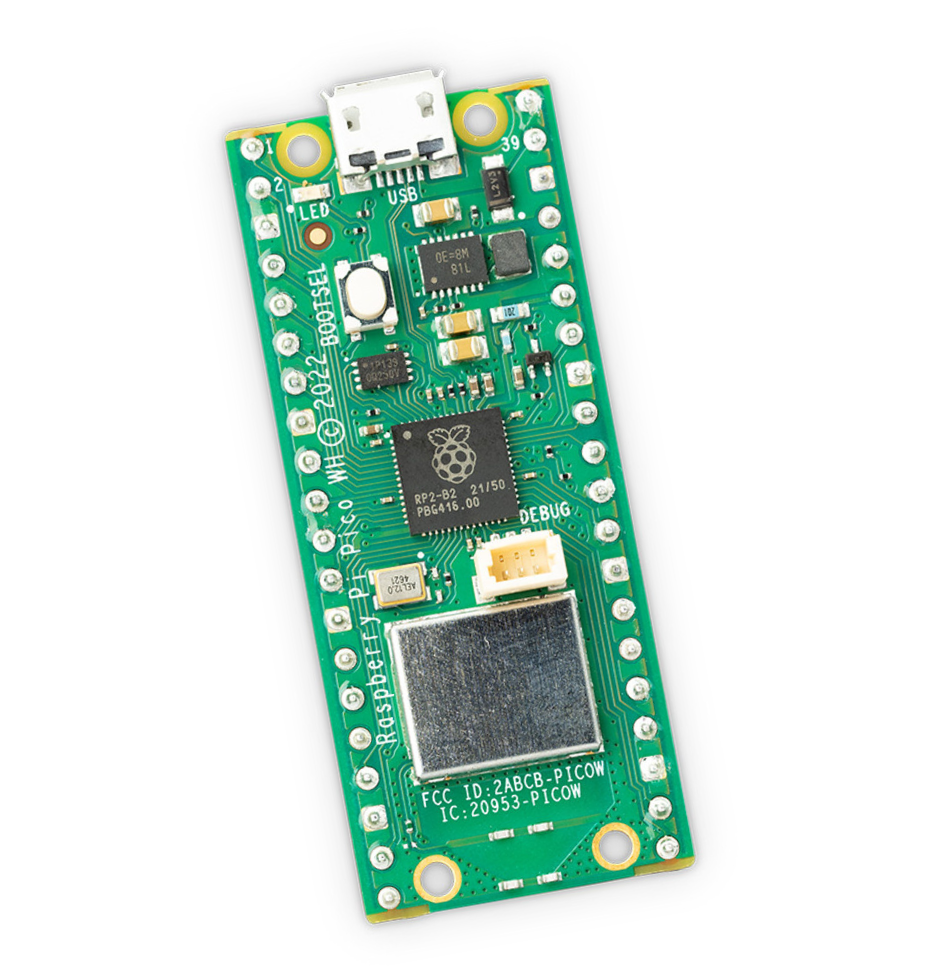
Arduino Uno or Raspberry Pi Pico: which should you learn first?
Updated
Ask where to start with microcontrollers and two boards come up every time: the Uno and the Raspberry Pi Pico. Both are small, cheap and well loved, and either one will teach you how code controls hardware.
They aren't interchangeable, though. They're programmed in different languages, run at different voltages, and one of them has Wi-Fi. Pick the one that matches what you want to learn and the first month goes much more smoothly.
The short answer
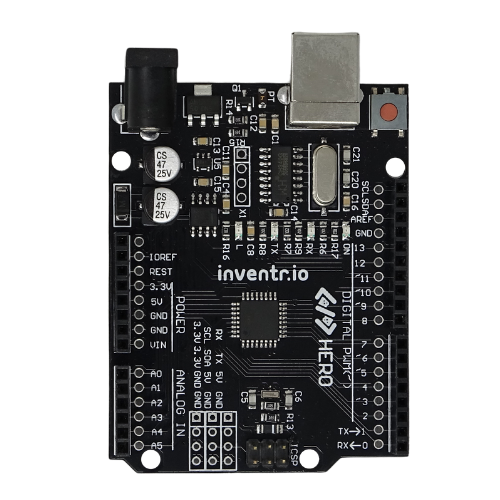
- Start with an Uno-compatible board if you want to learn electronics: wiring, sensors, and how code switches real parts. It's programmed in C++, runs at 5 V like most hobby modules, and nearly every beginner tutorial and kit is written for it.
- Start with a Raspberry Pi Pico if you want to learn Python, or your project needs Wi-Fi. The Pico W runs MicroPython, and the same Python you learn on it carries over to computers.
Neither choice locks you in. The ideas you learn first (pins as inputs and outputs, reading a sensor, a loop that runs forever) are the same on both, and most people end up using both.
Side by side
| Uno-compatible (HERO Board) | Raspberry Pi Pico W / WH | |
|---|---|---|
| Chip | ATmega328P | RP2040, two cores |
| Speed | 16 MHz | Up to 133 MHz |
| RAM | 2 KB | 264 KB |
| Program storage | 32 KB | 2 MB |
| Logic voltage | 5 V | 3.3 V |
| Analog inputs | 6, 10-bit (0 to 1023) | 3, 12-bit |
| PWM outputs | 6 pins | Any GPIO pin |
| Wi-Fi and Bluetooth | No | Yes, on the W and WH |
| Usual language | C++ | MicroPython |
| Usual editor | Arduino IDE, or a browser editor | Thonny |
The WH is the Pico W with its pin headers already attached, so it plugs straight into a breadboard.
On paper the Pico wins on almost every number. For learning, the numbers matter less than you'd think: a beginner's programs fit in a corner of the Uno's 32 KB, and 16 MHz is far faster than any light or button needs.
C++ or Python: the same program in both
The biggest day-to-day difference is the language. Here's the first program everyone writes, blinking the board's built-in LED, on each board.
void setup() {
  pinMode(13, OUTPUT);       // the built-in LED is on pin 13
}

void loop() {
  digitalWrite(13, HIGH);
  delay(1000);
  digitalWrite(13, LOW);
  delay(1000);
}from machine import Pin
import time
led = Pin("LED", Pin.OUT) # the Pico W's built-in LED
while True:
led.toggle()
time.sleep(1)C++ asks for more punctuation and a compile step before anything runs. In exchange you learn how a program is really put together, and the code you write is what most electronics tutorials and libraries use. MicroPython is shorter and you can type a line and see it run straight away, which feels friendlier on day one.
5 V or 3.3 V, and why it matters
An Uno-compatible board's pins work at 5 V. Most hobby modules, relays and sensor boards are made for 5 V too, so they connect directly. The Pico's pins work at 3.3 V and are not built to take 5 V: feed one a 5 V signal and you can damage the chip.
In practice that means a little more care with the Pico when you buy parts. Most modern sensors run happily at 3.3 V, but check before you wire a module made for 5 V.
Your computer decides some of it
Check what you'll be coding on. The HERO Board courses work on Windows, Mac or a Chromebook, using Chrome or Edge, and you upload to the board from the lesson page. The Pico courses use Thonny, an editor for Windows, Mac and Linux; on a Chromebook it only runs inside ChromeOS's Linux environment, which school-managed Chromebooks often switch off.
Try both before you buy
The free browser simulator runs both an Uno-compatible board and the Pico, with real parts on a virtual breadboard. Write the blink programs above, run them, then wire an LED and a button. Whichever one you enjoy more is your answer.
Want the wider picture first? What is a microcontroller? explains what's inside both boards.
30 Days Lost in Space: Learn on the HERO Board in C++: filmed lessons and one sci-fi story, from your first LED to a launch sequence.
Python Starter Kit: Neon Realm: Learn MicroPython on the Raspberry Pi Pico WH, from blinking a light to Wi-Fi projects.
Questions
Is the HERO Board an Arduino?
It's Uno-compatible: it uses the same ATmega328P chip and pin layout as the Arduino Uno, so Uno code, libraries and shields work on it. It's also open-source hardware.
Can a Raspberry Pi Pico run Arduino code?
It can, through the Arduino IDE's RP2040 support, but most Pico tutorials and courses use MicroPython. If you want C++, an Uno-compatible board is the more common place to start.
Is the Raspberry Pi Pico the same as a Raspberry Pi?
No. The Raspberry Pi 4 and 5 are small computers that run Linux. The Pico is a microcontroller board: it runs one program you write, with no operating system.
Which is better for a complete beginner?
Both work. An Uno-compatible board has more beginner material and connects to more modules without worrying about voltage. A Pico is the better start if learning Python is the goal.