Snap Circuits or a microcontroller kit: when to move up
Updated
Snap Circuits is the default first electronics kit for good reason. The parts snap onto a plastic grid, there are no tools, and an eight-year-old can build a working circuit from the picture in the manual. If your child is under 12, it's probably still the right kit, and we say that as the people who make the other kind.
Sooner or later, though, a Snap Circuits kid asks a question the blocks can't answer: how do I make it do something different? That question is the signal. Here's what it means, what changes when they move up, and how to tell whether they're ready.
What Snap Circuits teaches, and what it hides
Every part sits on a numbered, coloured plastic block with metal snaps: a slide switch, a press switch, a lamp, an LED, a motor with a fan, a speaker, a photoresistor. You build by matching the numbered drawing in the manual, layer by layer, and it works. Along the way a child learns the ideas everything else rests on: a circuit has to be a complete loop, a switch breaks the loop, and parts can sit in series or in parallel.
Some things stay hidden, on purpose. The resistor values are picked for you. The breadboard, where real circuits are usually tried out first, never appears. And the clever behaviour comes sealed in a block. Elenco's own manual says the music, alarm and space war chips are modules with the supporting parts built in, made that way "to simplify the connections you need to make to use them". A child decides where the music chip goes, never what it plays.
That last point is the whole difference between the two kinds of kit.
The jump is code, not parts
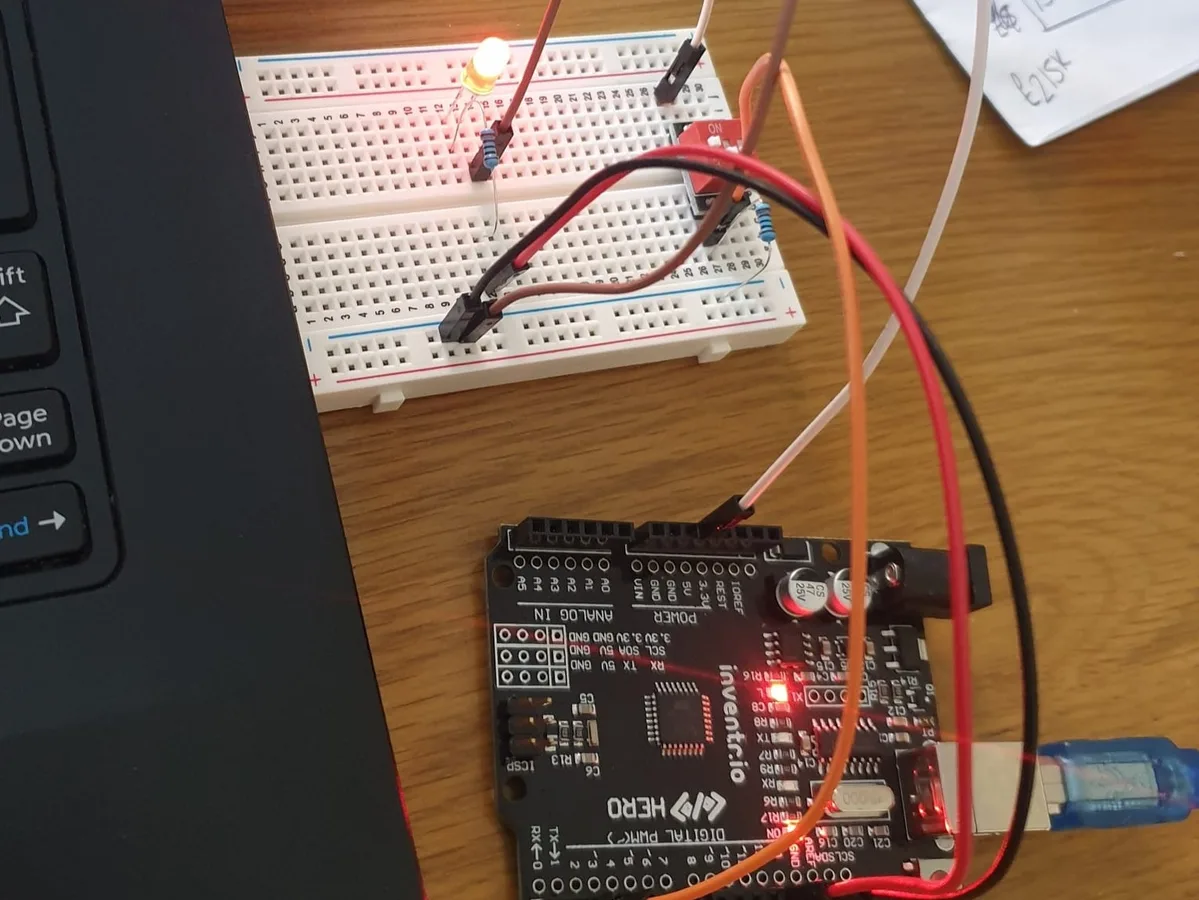
On a microcontroller board, the behaviour lives in a program you write. The board reads its inputs, runs your code, sets its outputs, and does it again, thousands of times a second. Here is a switch and a light, the same idea as a Snap Circuits slide switch and lamp, written the way it's taught on Day 3 of 30 Days Lost in Space:
#define CABIN_LIGHTS_PIN 12         // the LED is on pin 12
#define CABIN_LIGHTS_SWITCH_PIN 2   // the switch is on pin 2

void setup() {
  pinMode(CABIN_LIGHTS_PIN, OUTPUT);
  pinMode(CABIN_LIGHTS_SWITCH_PIN, INPUT);
}

void loop() {
  if (digitalRead(CABIN_LIGHTS_SWITCH_PIN) == HIGH) {
    digitalWrite(CABIN_LIGHTS_PIN, HIGH);   // switch on: light on
  } else {
    digitalWrite(CABIN_LIGHTS_PIN, LOW);    // switch off: light off
  }
}So far, that's a lot of typing for what one switch block does by itself. Now add three lines, and don't touch a single wire:
void loop() {
  if (digitalRead(CABIN_LIGHTS_SWITCH_PIN) == HIGH) {
    digitalWrite(CABIN_LIGHTS_PIN, HIGH);   // switch on: flash the light
    delay(200);
    digitalWrite(CABIN_LIGHTS_PIN, LOW);
    delay(200);
  } else {
    digitalWrite(CABIN_LIGHTS_PIN, LOW);    // switch off: light off
  }
}On Snap Circuits, a flashing light means finding a different block. Here it means a different idea. Count the presses, wait ten seconds, flash faster when the room gets dark: the parts stop deciding what the circuit does, and the child starts. That's what moving up buys you.
Everything they learned still counts
Nothing from Snap Circuits is wasted. The same parts turn up on a breadboard, and the same rules hold. What changes is who decides what they do.
| On Snap Circuits | In a microcontroller kit | Read more |
|---|---|---|
| A slide switch turns the lamp on | A switch on an input pin; code reads it with digitalRead() and decides what happens | Digital I/O |
| The LED block with the 100 ohm resistor block | A bare LED and a resistor you pick by its colour bands | LED, Resistor |
| The photoresistor reacts to light | The same kind of part, read as a number from 0 to 1023 with analogRead() | Photoresistor |
| The music chip plays its built-in tune | A buzzer plays any tune your code writes, with tone() | tone() and noTone() |
| Snap wires on a clear grid | Jumper wires on a breadboard | Breadboard basics |
| Series and parallel circuits | Exactly the same, with the same rules | Series vs parallel |
Signs they're ready to move up
- They've built most of the manual and started changing circuits on purpose to see what happens.
- They ask for behaviour the blocks don't have. Can it count? Can it wait? Can it do something only when two switches are on? Those are programming questions.
- They can type a few lines carefully and follow along with a video, pausing when they need to.
- They're about 12 or older. 30 Days Lost in Space is 12 and up, as printed on the box. One missing semicolon stops a program, and fixing it takes some patience.
Signs to stay with Snap Circuits a while
- They're under 12 and still enjoying it. There's no prize for moving up early.
- They still need help reading the drawings in the manual.
- Typing is slow and frustrating for them right now.
- They love it because it works the first time. Breadboards and code often don't, and finding out why is part of the lesson.
If typing is the only thing in the way, Elenco makes its own coding sets. Snap Circuits Code Journey, for example, was $124.99 at Rainbow Resource on November 10, 2026: a rover you control from an Apple or Android phone or tablet, with drag-and-drop block coding. It keeps the snap blocks and swaps typing for blocks, which makes it a gentle bridge rather than the full jump.
What changes when they move up
- Bare parts. No plastic block and no printed symbol. An LED has a long leg and a short leg and only lights one way round, and resistors are told apart by coloured bands.
- A breadboard. Rows of connections hidden under the holes instead of a grid you can see. A wire one hole off is the classic first bug.
- Power from the computer. The board runs from its USB cable, so there are no batteries to buy for the first builds.
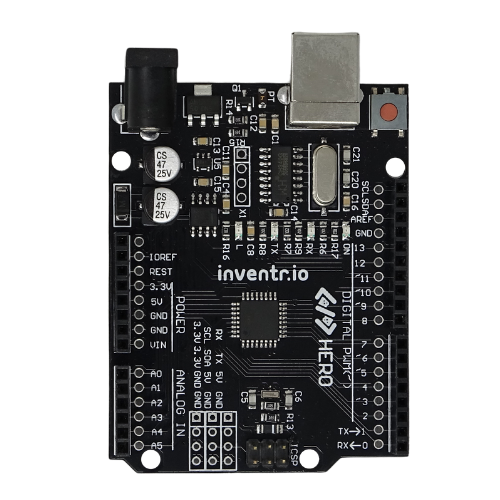
- A computer joins the kit. Our HERO Board kits code and upload from Chrome or Edge on Windows, Mac or a Chromebook. Phones and tablets can't program the board.
- Error messages. A typo stops the program from building at all. That feels harsh for a week, then it becomes normal. The Help Center explains the common compiler errors.
A first step after Snap Circuits
Two of our kits suit a Snap Circuits graduate, both on the same board. Cogsworth City is the gentler one: on the first night the board's own light blinks with no wiring at all, and the parts stay simple (LEDs, an RGB LED, six buttons and two light sensors) across twenty short nights, each with a film. 30 Days Lost in Space goes further: a keypad, an OLED screen, a 4-digit display and a buzzer, over 31 filmed lessons in one story.
Before you buy either, let them try it in the free browser simulator. Wire an LED on screen, run the blink program, change a number, run it again. If they light up at that, they're ready. If they'd rather go back to the snap blocks, that's an answer too.
30 Days Lost in Space: The full jump: a breadboard, the HERO Board and C++, taught in 31 filmed missions. Every part included, no soldering.
Questions
At what age should a child move on from Snap Circuits?
There's no fixed birthday. Snap Circuits is rated 8 and up, and 30 Days Lost in Space 12 and up on the box. Watch for the question "how do I make it do something different?" more than for an age.
Does Snap Circuits teach coding?
The classic sets don't: the behaviour is built into the blocks. Elenco sells separate coding sets, such as Code Journey, that use a phone or tablet app with drag-and-drop block coding.
Can a child skip Snap Circuits and start with a microcontroller kit?
Yes, from about 12. The first lessons of a good kit cover what a circuit is, so nothing from Snap Circuits is required. Snap Circuits just makes those first lessons feel familiar.
Is a microcontroller kit safe for kids?
30 Days Lost in Space and Cogsworth City run on 5 V from the computer's USB port. Nothing plugs into the wall, and there's no soldering iron.